Loop the chords.
See what to play over them.
Put a progression in — or take one of seventy-two — press play, and see what fits over each chord as it comes round: the scale, the arpeggio, and where they land under your hand.
Guitar, bass, ukulele and piano 4- to 8-string tunings Works offline Your practice stays on your device
Five minutes
Watch it work
The whole app, driven end to end — chart, band, diagrams, drills and all.
- 68scales and modes
- 35tunings, four to eight strings
- 72loops to start from
- 4instruments: guitar, bass, uke, piano
What it does
Four things, in the order you'd do them
root chord tone colour note the rest of the scale Four roles, four colours — the same four on every diagram in the app.
Get the chords in
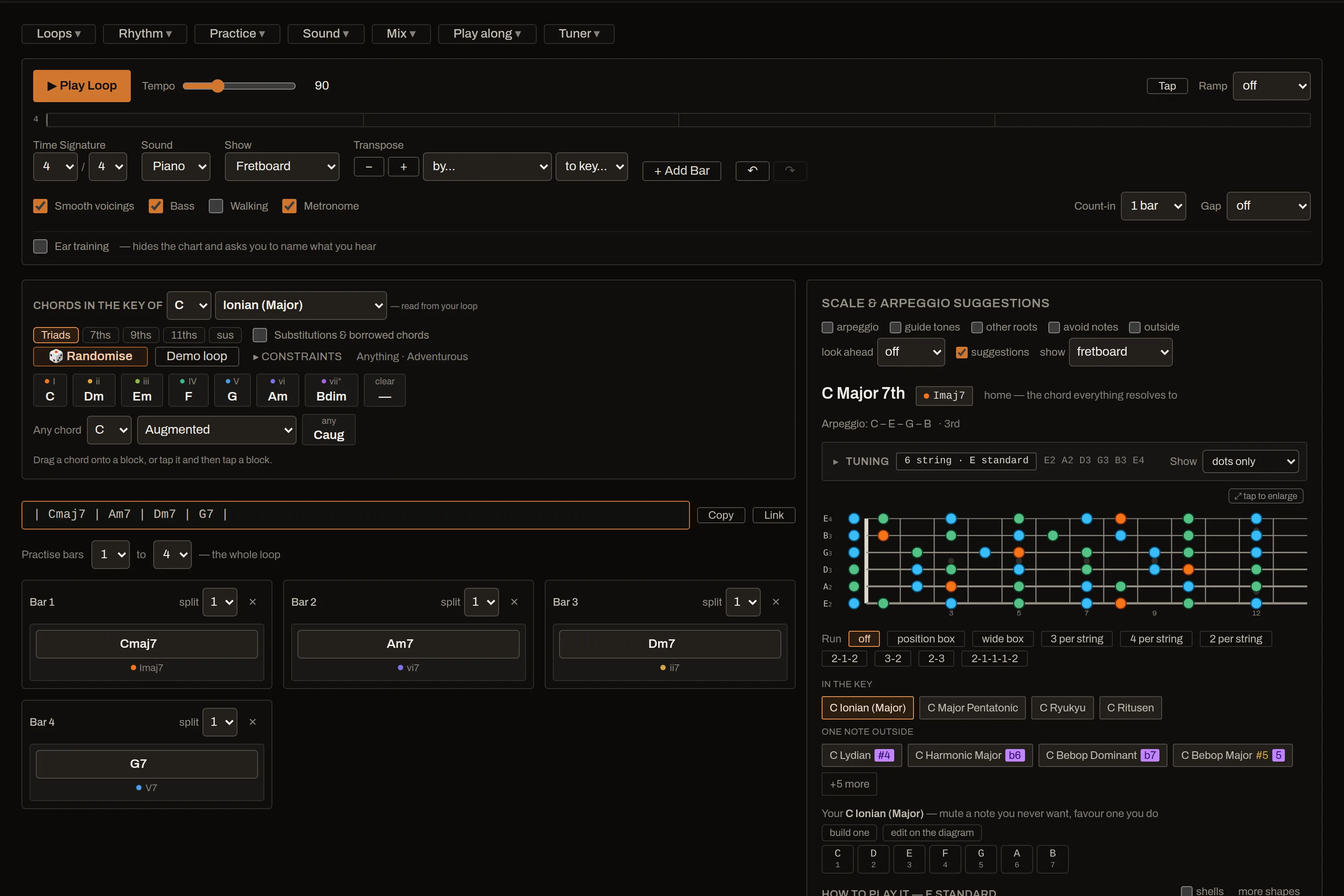
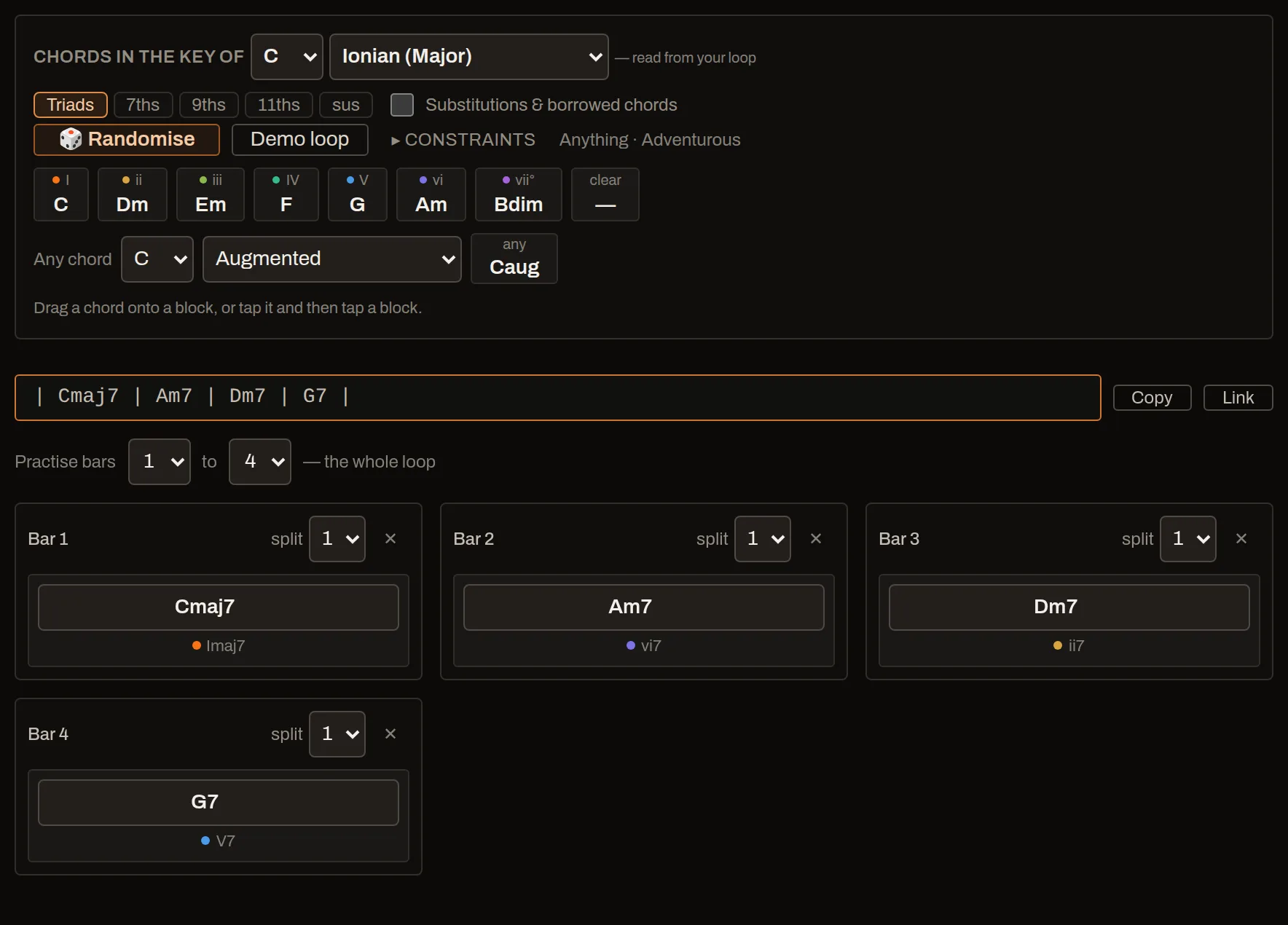
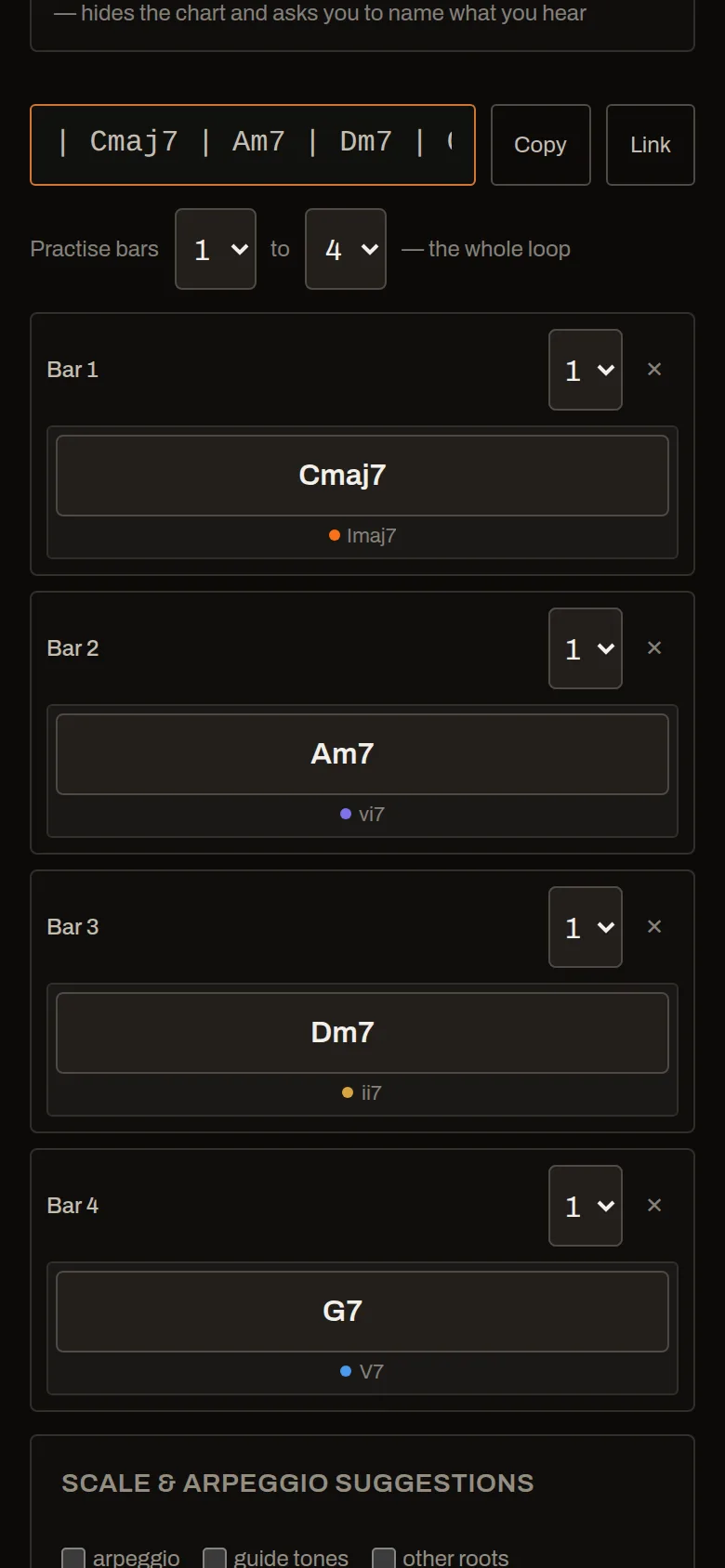
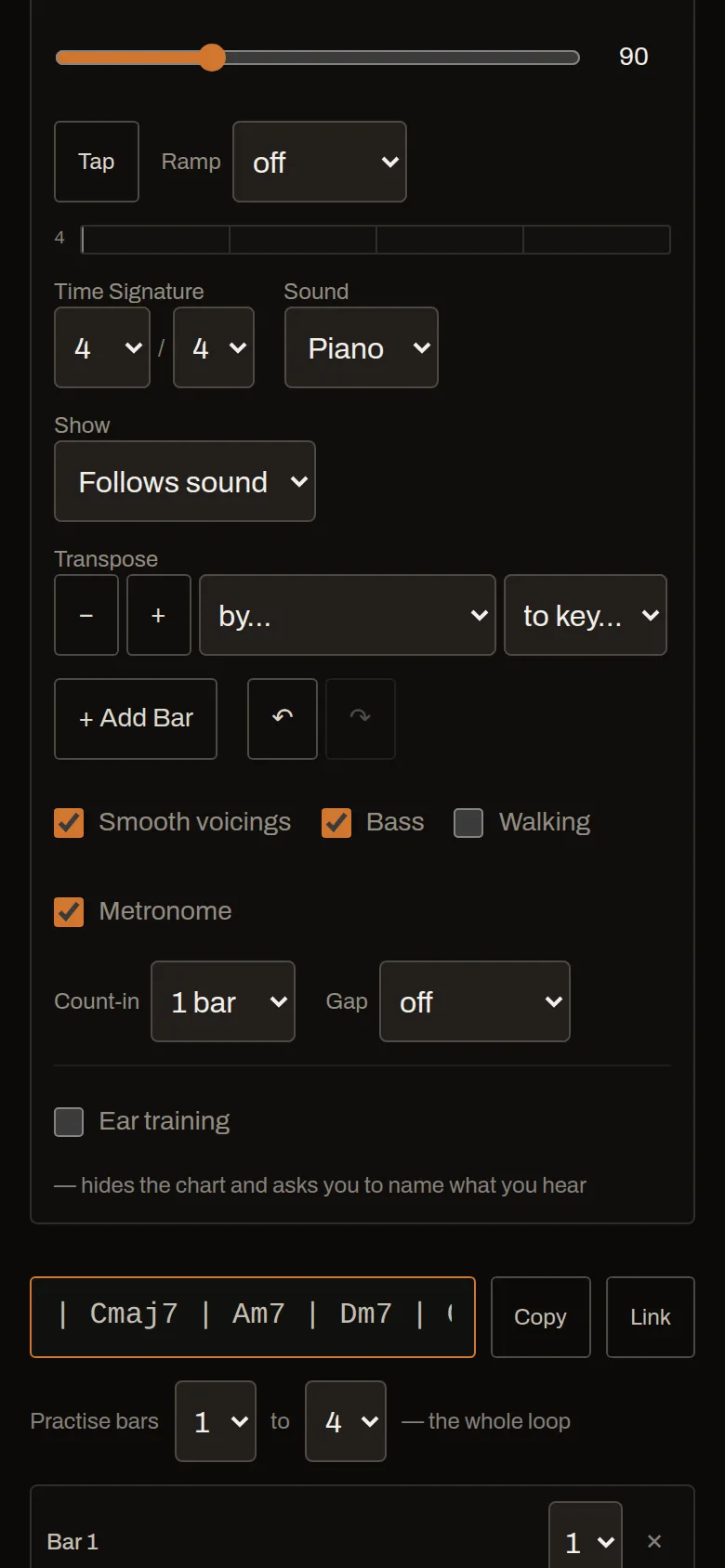
Tap them from the palette, type the chart line under the grid, paste a progression in, start from one of seventy-two, or roll a whole loop off one dial. Bars split into two, three or four chords, and a loop that changes key partway through gets each chord numbered in the key it is actually in.
- Devices, standards and forms — the handful of shapes every tune is built out of, twelve of the most-called standards by name in the key they are called in, and rhythm changes and the thirty-two bar forms underneath them. Up to sixty-four bars, with the sections named and foldable.
- Any time signature — and 7/8 counted 3+2+2 is a different tune from 2+2+3, so you choose.
- Comping rhythms and drums that follow the meter, each drawn as one bar of itself — or tap your own in against the loop.
- Walking bass, swing, a count-in, a tempo ramp — and a cross-rhythm that drifts on its own cycle, the way a polyrhythm should.
See what fits
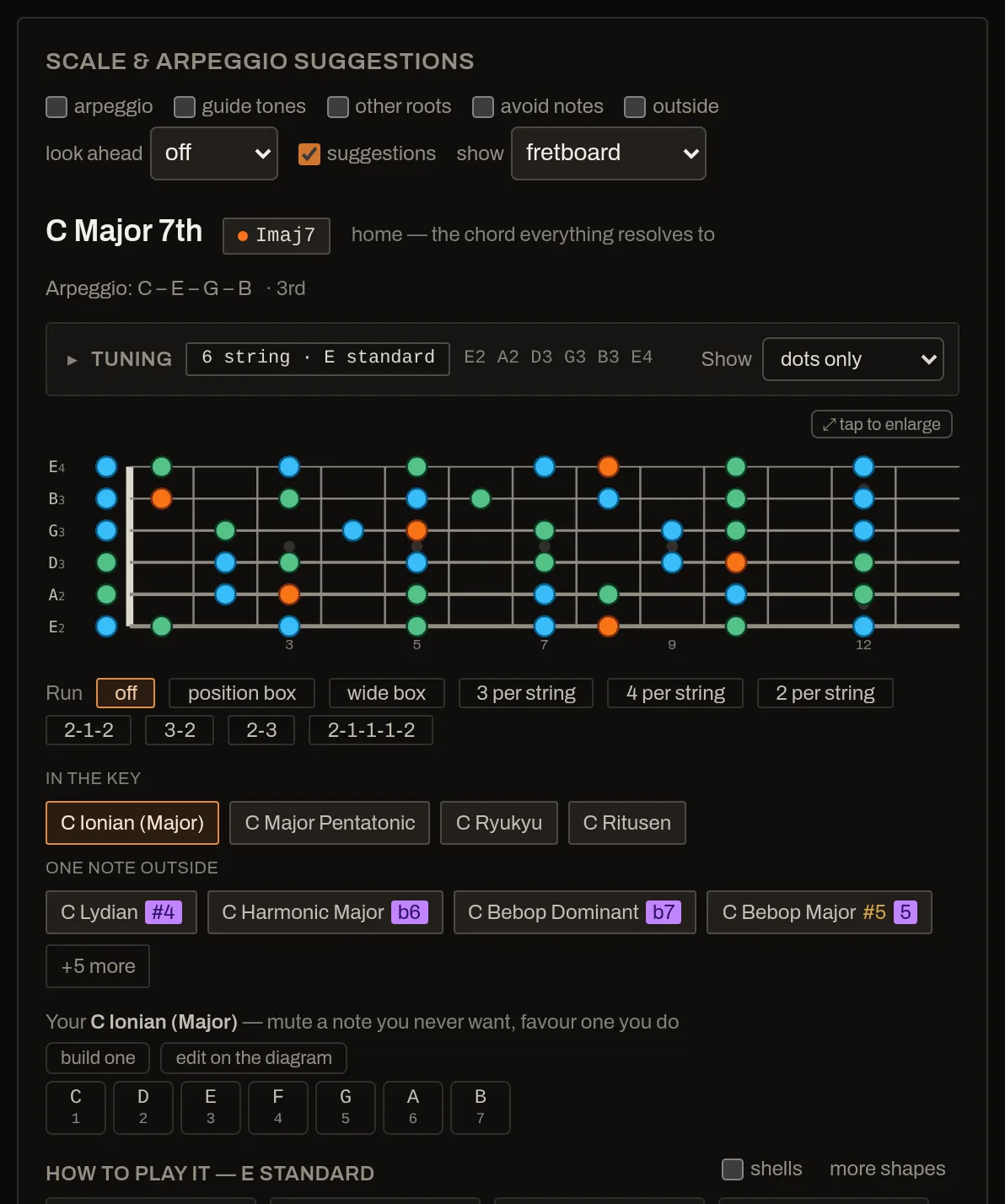
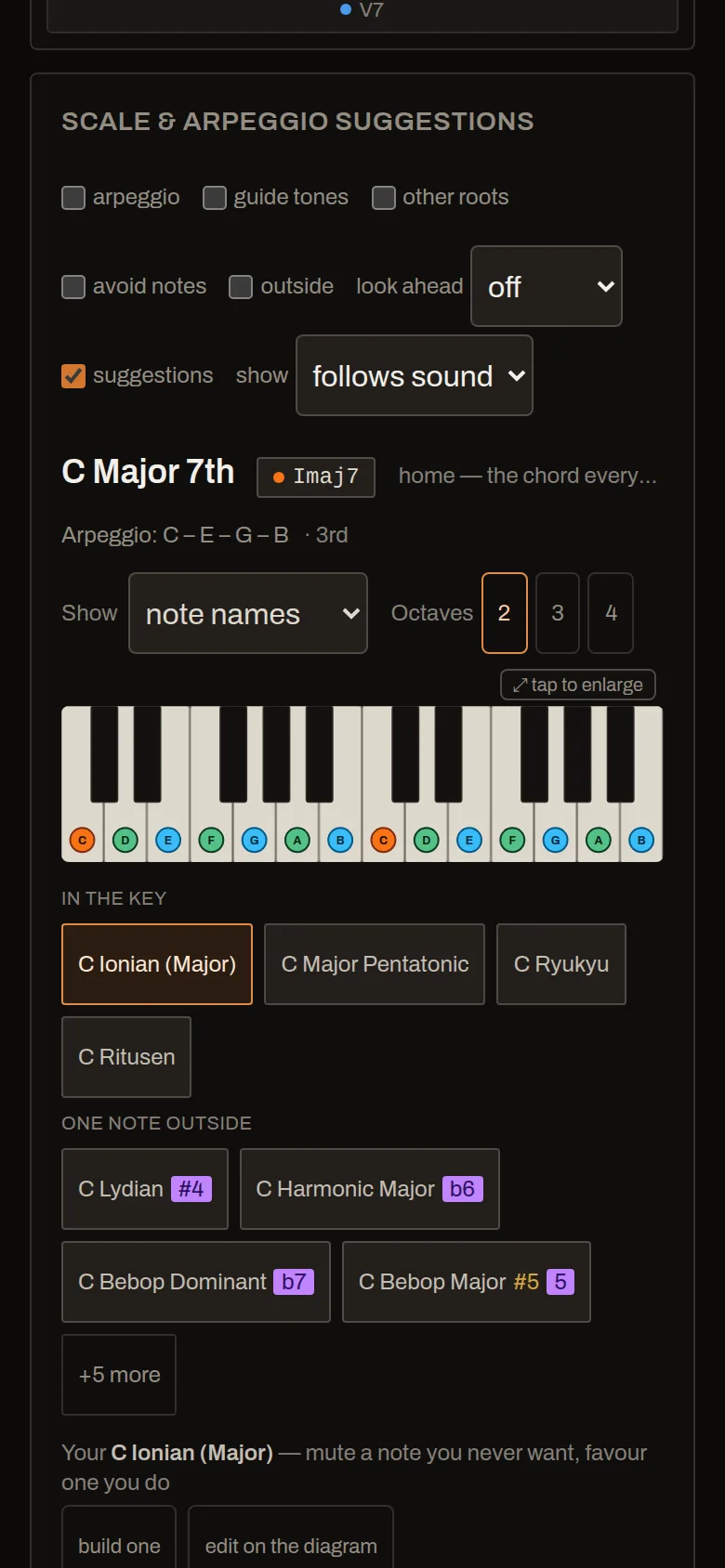
Sixty-eight scales and modes, grouped by how far each sits from the key. In the key is safe anywhere in the loop. One note outside is the usual amount of colour, and the chip names the note that takes it out. Further out is a departure, and it says so.
- Guide tones — the 3rds and 7ths that spell the change, with the move to the next chord drawn on the diagram.
- Chord shapes for your tuning, shells included — and at the piano, shell, rootless and spread voicings, fingered: a fret diagram implies the hand and a keyboard with dots on it does not.
- Notes coloured by their job — root, chord tone, colour note, and the rest of the scale.
- Sixteen mode vamps, all on one root, so you hear what actually changes between Dorian and Phrygian.
Get it under your hands
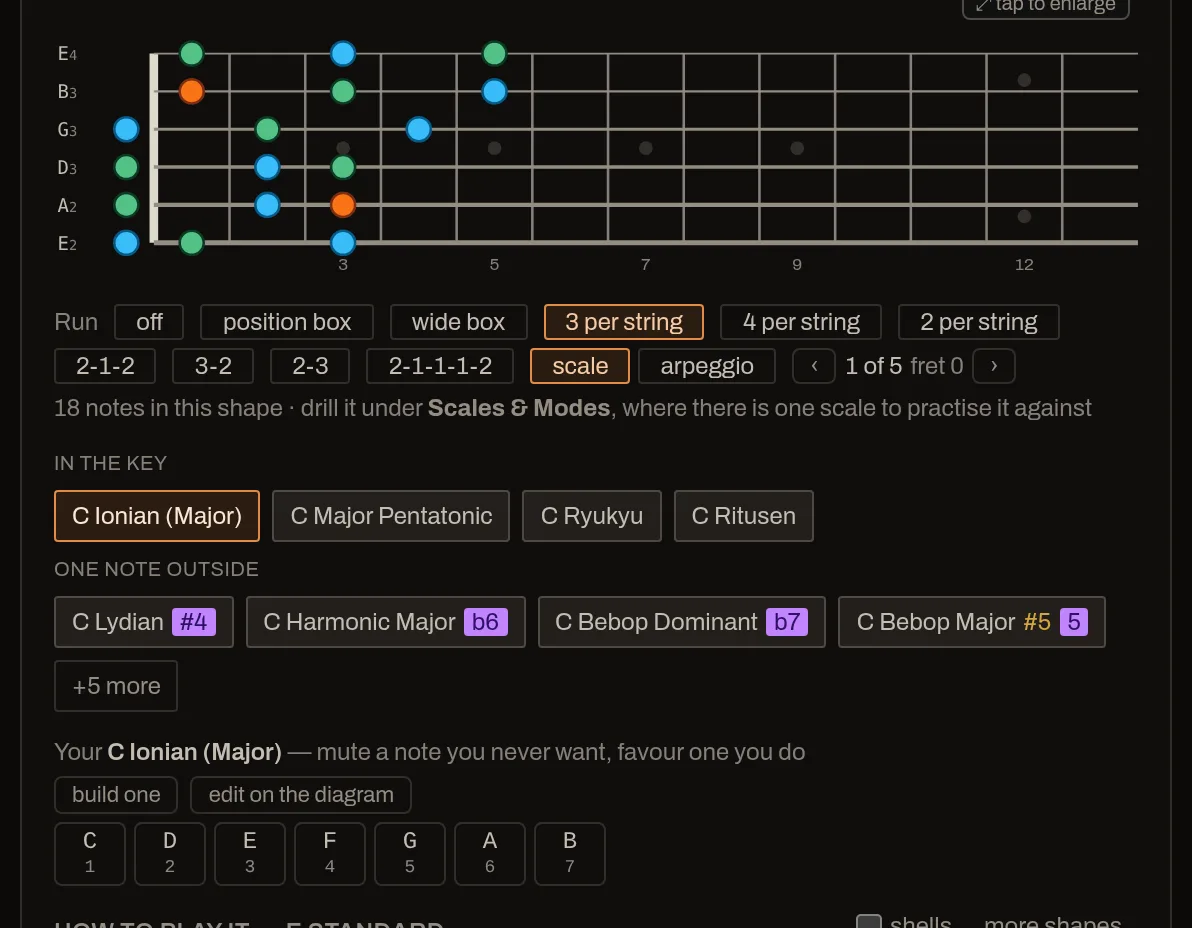
You run a scale in one shape, not across the whole neck. So the board reduces to a fingering: three notes per string, four, the uneven ones, or a position box you stay inside. Rolls and slides come out of the frets themselves.
- Computed from your tuning, so a shape is right on a seven-string in drop A rather than transposed off a picture of a six.
- A position pinned per chord — moving between two of them is the exercise.
- The next chord’s shape ghosted in before the change, so your hand knows where it is going.
Then drill it until it is yours
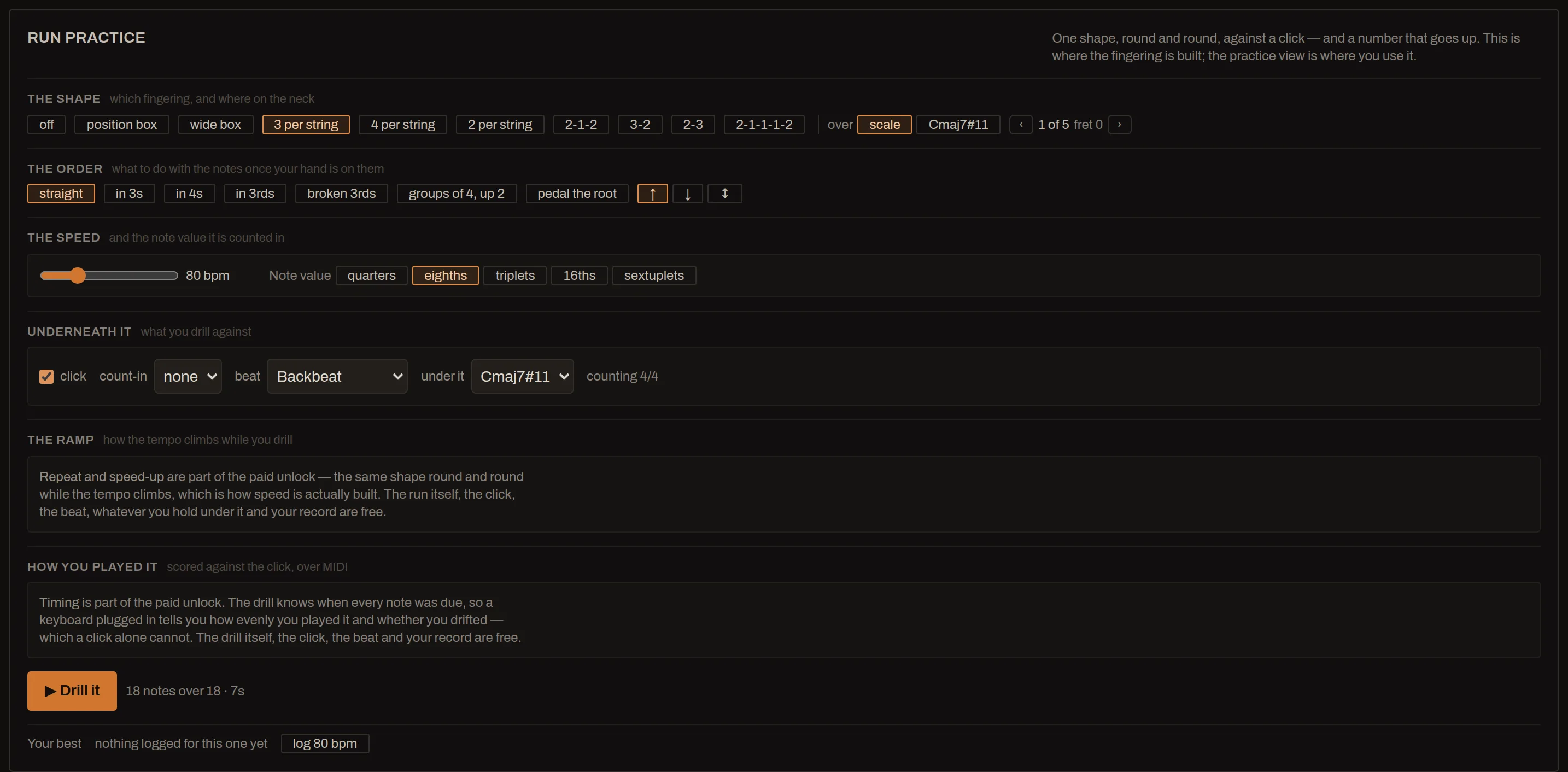
Building a fingering and improvising over changes are different jobs, so the drill has a room of its own in Scales & Modes: one scale, one shape, round and round. Over a progression it would be clashing with three bars in four.
- Sequences over the shape — up in 3s, in 4s, in 3rds, broken 3rds, pedalling the root — lighting up on the diagram as they sound.
- Against a click, a beat, or the chord itself, which settles in about two seconds whether that ♯4 is the colour or a clash — or a held tonic, so a mode sounds like the mode rather than like frets.
- Your tempo kept as a line, not a number — a point a day per scale, fingering, order, note value and meter, so next week starts where this week finished and the month has something to show for itself.
- And it scores how you played it, with a MIDI keyboard plugged in: how evenly the notes fell against the click and whether you drifted across the pass. That half is paid.
Practising, not just playing
The parts you only want once you sit down
None of this is on the first screen. All of it is what you reach for in week two.
Loop two bars of eight
The bar giving you trouble is rarely the whole tune. Set a range and drill it. The rest dims instead of vanishing — it is still the tune.
Play along
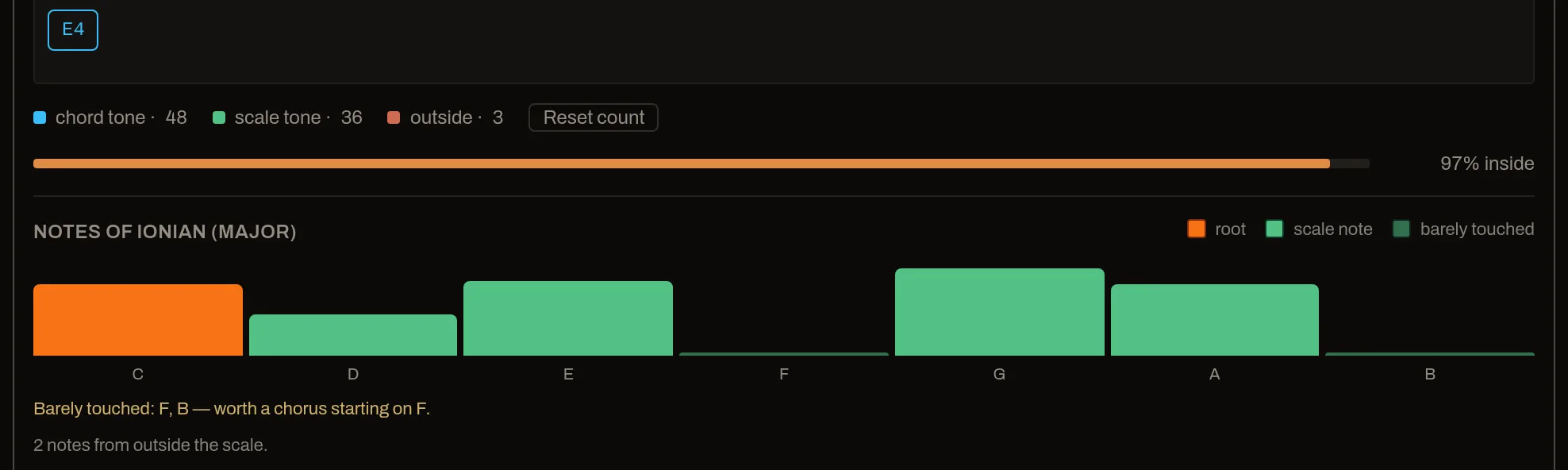
Through a microphone or MIDI. The heat map shows which notes of the scale you actually used, measured against an even spread — so a pentatonic does not just report five notes at a fifth each.
Ear training
Hides the chart, the numerals, the scales and the shapes, and turns the bars into blanks. Answers are marked on the notes rather than the spelling, so CM7, C∆7 and Cmaj7 all count. Name the chord, name the degree, or name the mode over a vamp — hearing that something was the five is the half that transfers to every key.
Gap click
The metronome drops out for a few bars and you find out whether the time was yours or its. Counted in bars played, so it walks around a loop whose length does not divide it.
A tuner for your tuning
Not a chromatic tuner. It reads every string of whatever is on the fretboard — six, seven or eight, a preset or one typed in by hand — and names each one the way that tuning spells it, so a seven-string down a half step reads B♭1 E♭2 A♭2.
A practice log
Counts time the loop was actually running rather than time the tab was open, and leads with what has gone quiet rather than with a total.
A plan for the next half hour
Everything else here answers what could I practise. A routine is a name and an ordered list of steps with minutes on them, and a quiet line under the header that follows you between views. Four ship; write your own. It never stops the music — the clock runs past zero and says so, and you press Next.
Where the notes are
The app draws the neck in thirty-five tunings and never used to ask you about it. Name the dot, or find the note — and separately, name the gap between two notes, rising, falling or together. Both keep a confidence box per item, so what you already have comes round less often.
Tempo over time
What each exercise was at, when, and whether it is moving — and which one to spend tonight on: the one that has gone quiet, the one that went up last time, or the one that has sat at the same number for three sittings. Free, because the ramp that got you there is what is paid for and the number is yours.
And the theory under it
Two views that answer "why", not just "what"
Both are free, both make a sound when you press them, and anything you find in either goes straight into the loop.
The circle of fifths, as an instrument
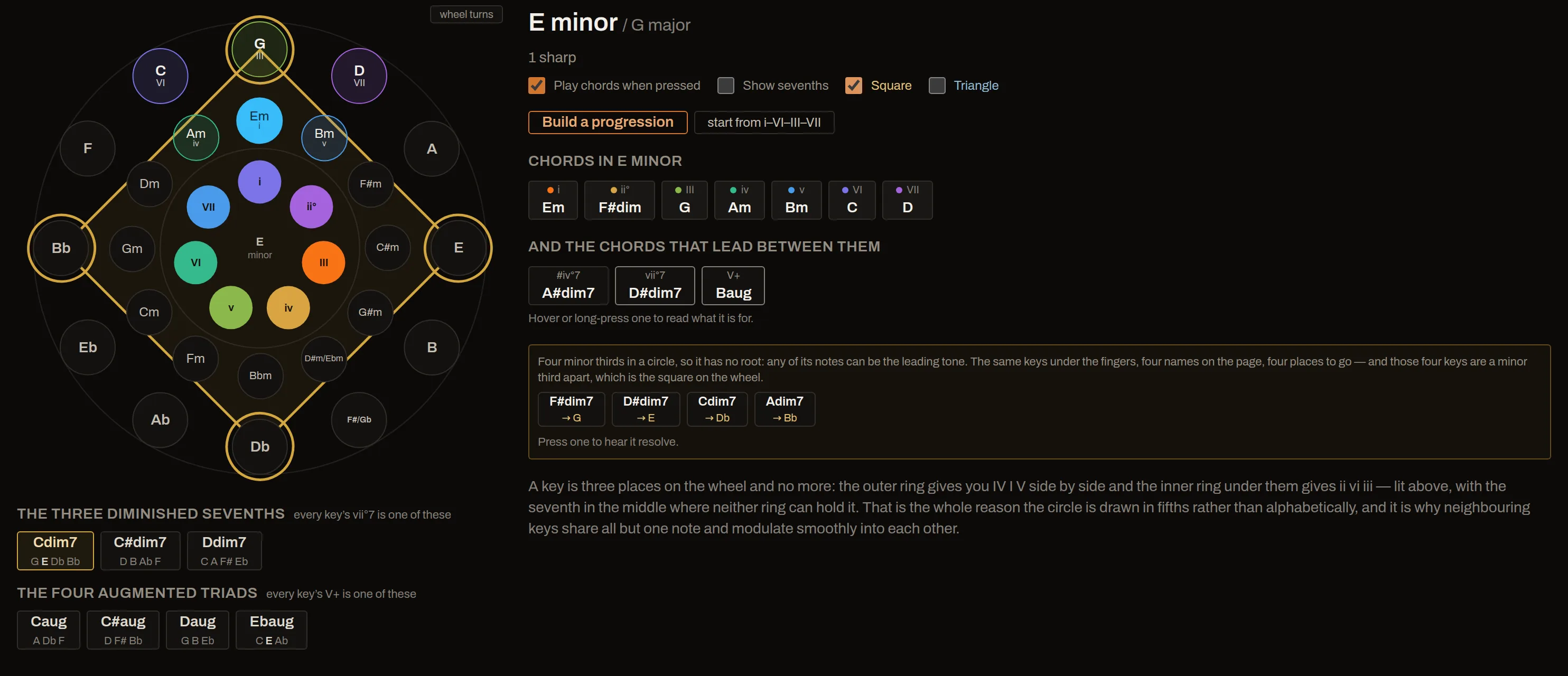
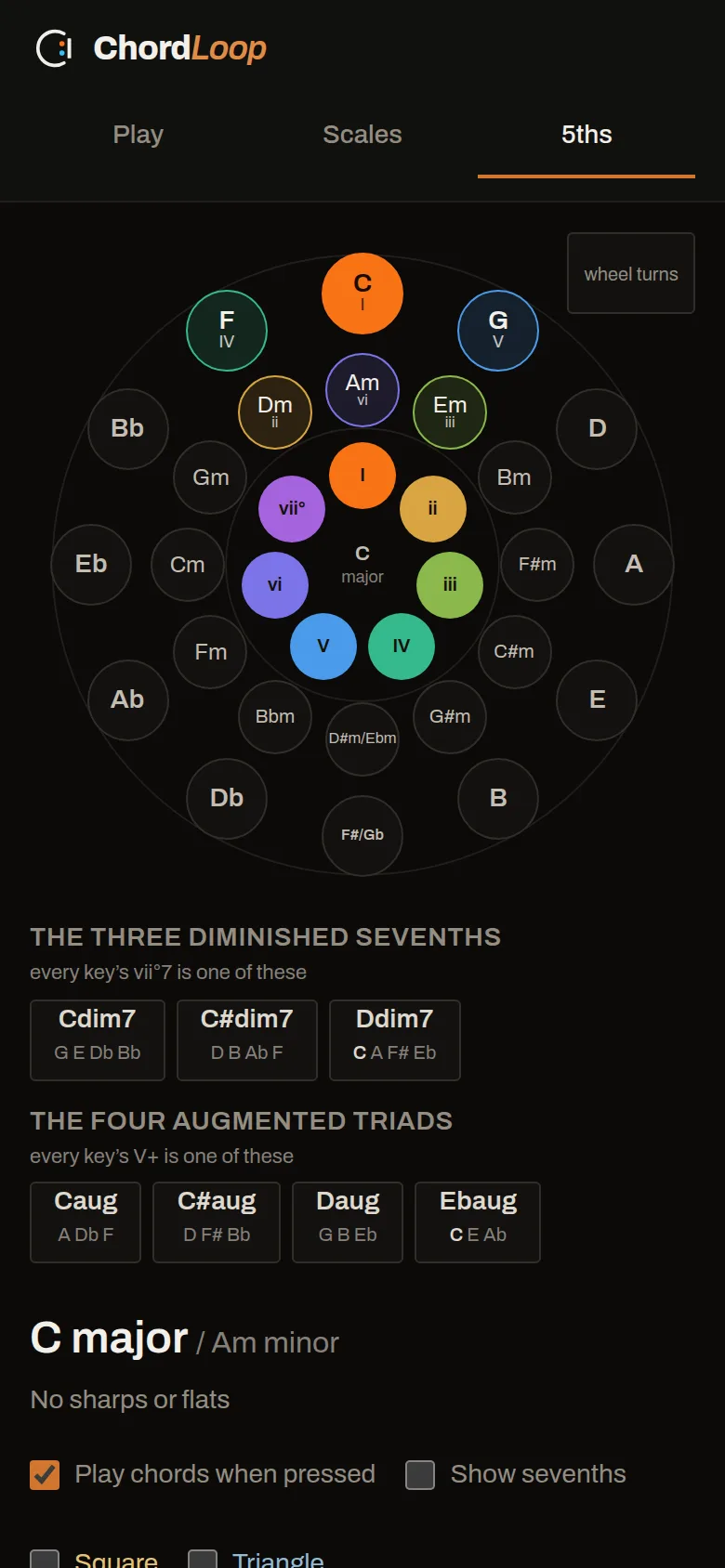
Twelve keys twice over, major outside and relative minor inside, and the wheel turns to whichever you press. A key is three places on it — IV I V side by side, ii vi iii under them — lit as a block, with all seven degrees numbered and coloured in the middle. That is the whole reason the circle is drawn in fifths, and no wheel on a wall ever says it.
Beside them sit the chords that lead between the keys: the passing diminished sevenths, the augmented triads, and the shapes they make on the wheel. Press any chord to hear it, collect the ones you like, and take the progression into the practice loop.
A scale book that plays
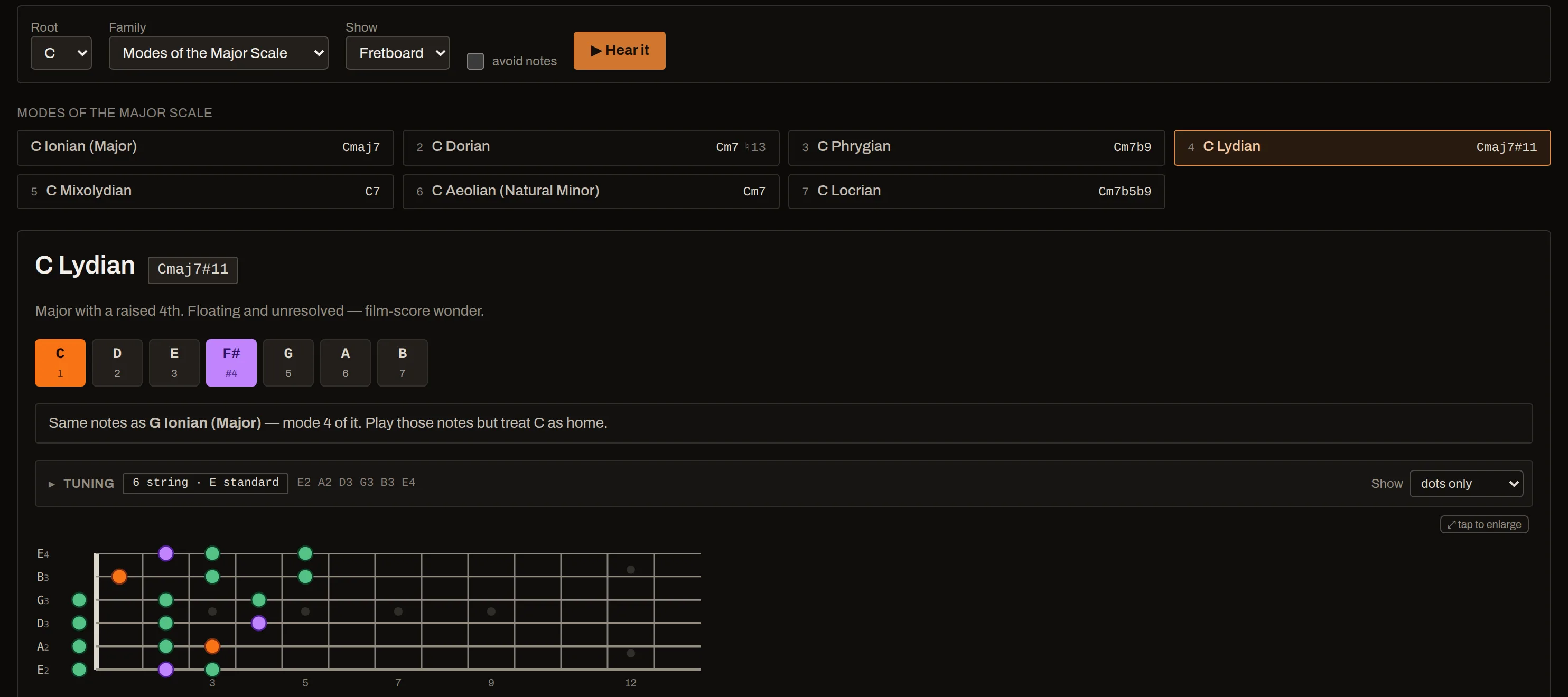
Every mode of the major scale, harmonic major, harmonic minor, melodic minor and double harmonic — generated by rotating the parent, so a mode cannot drift out of the scale it came from — plus the pentatonics, the blues scales, the bebop scales, the symmetric ones and a shelf of world scales. Sixty-eight in all, and not one of them is behind the paywall.
- The chord each one implies, so you know what to play it over rather than just what it contains.
- Its colour note picked out — Lydian's ♯4, Dorian's ♮6 — because that is the note the scale is for.
- Where it came from — same notes as G Ionian, mode 4 of it, treat C as home.
- On your neck or your keys, in your tuning, at the size you can read from a stand.
- Build your own by tapping notes on the diagram — it tells you if it is already a scale, and names it if it is not.
- Edit one — mute the ♭2 you never want in Phrygian, and it says what is left.
- Drill it — the run practice section sits under the diagram, so choosing a scale and getting it under your hands happen in the same place.
Where it runs
Built for the room you actually practise in
A browser tab that behaves like an app
The places you practise are the places with no signal. ChordLoop caches itself on the first visit and each instrument as you play it — or all of them at once, deliberately, before you get on a train. Add it to a phone or tablet home screen and it opens full-screen from its own icon, with nothing to download and nothing to update by hand.
Left-handed, and with a capo on
A tenth of guitarists read every diagram in this app backwards, so the neck draws mirrored — nut on the right, frets climbing left, the low string still nearest your face. And a capo is treated as a new nut rather than as a transposition, so every shape and every search is right without knowing the word. The tuner is the one exception, deliberately: you tune the open strings and then clamp it on.
Nothing leaves your device
No account, no server, no analytics. Your loops, your practice log and your settings live in your browser's own storage — and because that means clearing site data takes the lot, all of it exports to a file you keep.
A loop travels as a link
The whole loop — chords, tempo, meter, feel and scale — fits in the URL, so sending one to a friend needs no account and no upload. Free or paid: a link is never locked.
Legible where you need it
A light theme for a stand outdoors, bigger diagram text for a stand at arm's length, and a colour-blind-safe palette where each role also carries a mark of its own — because a palette that is only colour has moved the problem, not solved it.
It remembers where you were
The loop you had open comes back when you do, without saving it first. Nobody saves a loop they are still working out.
What it costs
Free to play. £9.99 once to be listened to.
The free half is everything on this page so far, and it is not a trial: the loop builder, the band, all 68 scales, every diagram, every tuning and the tuner. No account, no card, no clock counting down on any of it.
What costs money is the app working on you rather than for you — hearing what you played over the chords, drilling a shape up to speed, remembering months of practice, and letting you carry the loop into a DAW. One payment, once. No subscription, no expiry — and updates are part of it: ChordLoop is still being built, and more scales, more progressions and more of everything on this page arrive as they are finished, at no extra cost and with nothing to reinstall.
Free
£0 forever
No account. Nothing to cancel.
- The loop builder — any meter, any tempo, odd and additive bars
- The backing band — comping rhythms, drums, walking bass, swing, cross-rhythms
- All 68 scales, grouped by how far from the key they sit
- The fretboard and piano diagrams, chord by chord as it plays
- Chord shapes and voicings, guide tones and the line between them
- Run patterns and sequences, at the tempo and note value you set — over a click, a beat, a drone or the chord — and your best tempo kept for each fingering
- Guitar, bass, ukulele and piano · all 35 tunings, 4 to 8 strings · the tuner
- Ear training, the circle of fifths, and 72 preset progressions
- Five saved loops · share a loop as a link · works offline · installs to the home screen
Practice
£9.99 one payment
Everything in Free, and:
- It listens back — play along by microphone or MIDI and every note is marked against the chord going past, then the heat map shows which notes of the scale you have been avoiding. Free measures for three minutes a session.
- Take a run up to speed — the same shape round and round while the tempo climbs, which is how speed is actually built and which by hand means stopping to drag a slider every twenty seconds. Playing the run, at any tempo, and keeping your record of it, are free.
- It plays you a phrase and you play it back — three, four or five notes of the scale on screen, on a MIDI keyboard, marked note by note. Twelve phrases free a sitting at all three lengths, and after that it keeps going at three notes for ever. Naming what you heard — the chord, the degree, the scale, the interval — is free throughout.
- It scores how you played it — drill a run with a MIDI keyboard plugged in and the app compares every note with when it was due: how evenly the notes fell, and whether you drifted across the pass. Drilling the run, the click, the beat and your record are free.
- Your whole practice history rather than the last seven days — what you played, when, and what has gone quiet.
- Take the loop with you — MIDI for a DAW, chords, bass and drums on their own tracks; WAV for a phone with no signal; the chart as an image for the music stand.
- Save as many loops as you like.
Open ChordLoop → Unlock for £9.99 Start free · pay when you want it listening back · 14 days to change your mind
Questions
Before you open it
Do I need an account?
No, and there is no way to make one. ChordLoop has no server: everything it knows about you is in your own browser, and it works the same whether you have ever visited before or not.
What is free, exactly?
Everything this page describes up to the price, with no account, no card and no clock on it. The two lists above say which side each thing is on and are the whole of it — there is no third list and nothing held back from either.
Two things are never locked, whatever you have paid: sending a loop to somebody as a link, and backing up or restoring your own loops and practice history.
Is it still being worked on?
Yes, and steadily. The scale library has grown from forty-four to sixty-eight, the circle of fifths has been rebuilt twice, and the preset loops, the run drills and the ear training were all added after the first version shipped.
Updates are included in the one payment and there is nothing to reinstall: the app checks for a new version while you have it open and offers it rather than reloading underneath you. If something you want is missing, say so — [email protected] is read by the person who writes it.
What does it do with my microphone?
It listens for pitch, in your browser, and nothing else. Audio is analysed frame by frame on your device and never recorded, uploaded or kept — the app has nowhere to send it. The microphone is only ever on while you have started the tuner or the play-along, and browsers ask your permission first.
Guitar or piano?
Both, and they are separate choices: what the loop is played on and which diagram is drawn. You can have a piano sound with a fretboard in front of you, or the other way round.
Bass and ukulele too. The fretboard covers anything from four to eight strings with thirty-five preset tunings — including a re-entrant ukulele, where the fourth string sounds above the third — and any tuning at all typed in by hand. The shapes and the run patterns are computed from the tuning, so they are right on a seven-string in drop A as readily as on a uke.
Will it work on my phone?
Yes. It is built to be used on a stand: the layout folds down to one column, the diagrams scale, and it can be installed to the home screen and opened without a network.
Can I get my loops out?
Any loop copies out as a line of chart text or a link, the loop plays out as a WAV file, and everything the app holds — saved loops, the practice log and your settings — backs up to a single file. A restore merges rather than replacing, so restoring a backup on a browser you have been practising in keeps that practice too.
Is there an Android or iOS app?
The web app is the app: it installs to the home screen on both, runs full-screen and works offline. A Play Store listing is on the way for Android, and it will be the same app in a different wrapper, at the same price.
What if I buy it and it turns out not to be for me?
Email [email protected] within 14 days and you get your money back. No reasons asked for and nothing to fill in.
It should rarely be needed, which is the point: most of ChordLoop is free permanently, so you can play with the thing for a week before you ever reach for a card, and what the payment adds is listed above without embellishment. The offer is for the times that is still not enough. Payment is handled by Lemon Squeezy, who are the merchant of record and who issue the refund.